 Anil Computers 18/368, PREM KUTIR, UNIVERSITY ROAD, UDAIPUR - 313001RAJASTHAN, INDIA
 [email protected]@[email protected]
 09414234600, 7737447183
 Anil Computers 18/368, PREM KUTIR, UNIVERSITY ROAD, UDAIPUR - 313001RAJASTHAN, INDIA[email protected]@[email protected]09414234600, 7737447183

Macro Function
Macro Function का Use Document Type करने या Other Activity को Record करने के लिए किया जाता है जब यूजर MS WORD के अंदर कोई भी डॉक्यूमेंट पर कुछ शब्द टाइप करते है तो यूजर उन शब्दों को Macro Function में रिकॉर्ड कर सकता है
View < Macro
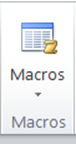
Macros : किसी भी matter को बार-बार use करने के लिए।
Macro के रूप में save करना : View Menu < Macros < Record macro < Name of macro < OK
Type the matter < Stop recording
Macro को use करना : < Macros < View macros < Select desire one < OK
The Macro Function is used in MS Word to record repetitive tasks or typing activities.
When a user types certain words or performs actions in a Word document, those actions can be recorded as a Macro.
Go to: View tab → Macros
A Macro allows you to reuse any content or actions repeatedly without having to type or perform them again.
Go to View tab → Macros → Record Macro
Enter the Name of the Macro
Click OK
Type the content or perform the activity you want to record
Then click on Stop Recording
Go to View tab → Macros → View Macros
Select the desired Macro from the list
Click Run / OK
Thanks to Google
Thanks To ChatGPT