Anil Computers 18/368, PREM KUTIR, UNIVERSITY ROAD, UDAIPUR - 313001RAJASTHAN, INDIA
 [email protected]@[email protected]
 09414234600, 7737447183
 Anil Computers 18/368, PREM KUTIR, UNIVERSITY ROAD, UDAIPUR - 313001RAJASTHAN, INDIA[email protected]@[email protected]09414234600, 7737447183

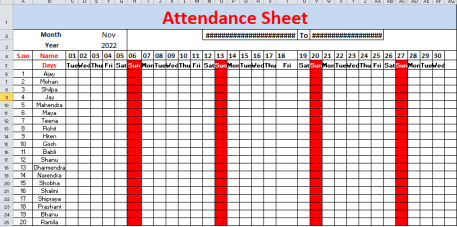
Month wise Attendance sheet
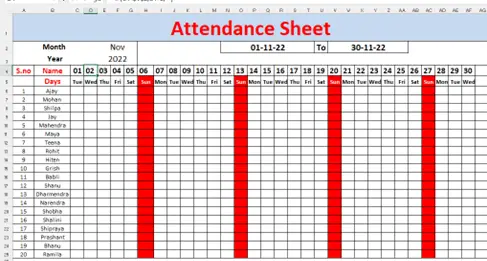
Year wise attendance sheet
Step-1
- Month का data validation बनाना
- year data validation
Month - list validation
Year - list validation
Step-2
Month की starting date के लिए
=DATEVALUE("1"&E2&E3)
[note E2- Month cell, E3- Year cell]
Step-3
=EOMONTH(N2,0)
[note- Eomonth (starting date , 0)]
Note - 0 इसीलिए लिखना है क्योंकि उस महीने का last date लेना हे l
Step-4
Change date
=N2
[1st वाली date cell पर formula = start date cell]
2nd date वाली cell पर formula
=IF(C4<$V$2,C4+1,"")
[note- if (date वाली cell <last date वाली cell )]
Note - यदि date 1 वाली value last date cell value से यदि कम है तो 1 वाली value में +1 होता रहे यदि नहीं हो तो वह खाली रहे |
Lock sunday
Select Range >date validation >custom >
= select cell (sun )<> ''sun ''ok
[Note - sum वाली cell का Row Lock करना है $ ]