 Anil Computers 18/368, PREM KUTIR, UNIVERSITY ROAD, UDAIPUR - 313001RAJASTHAN, INDIA
 [email protected]@[email protected]
 09414234600, 7737447183
 Anil Computers 18/368, PREM KUTIR, UNIVERSITY ROAD, UDAIPUR - 313001RAJASTHAN, INDIA[email protected]@[email protected]09414234600, 7737447183
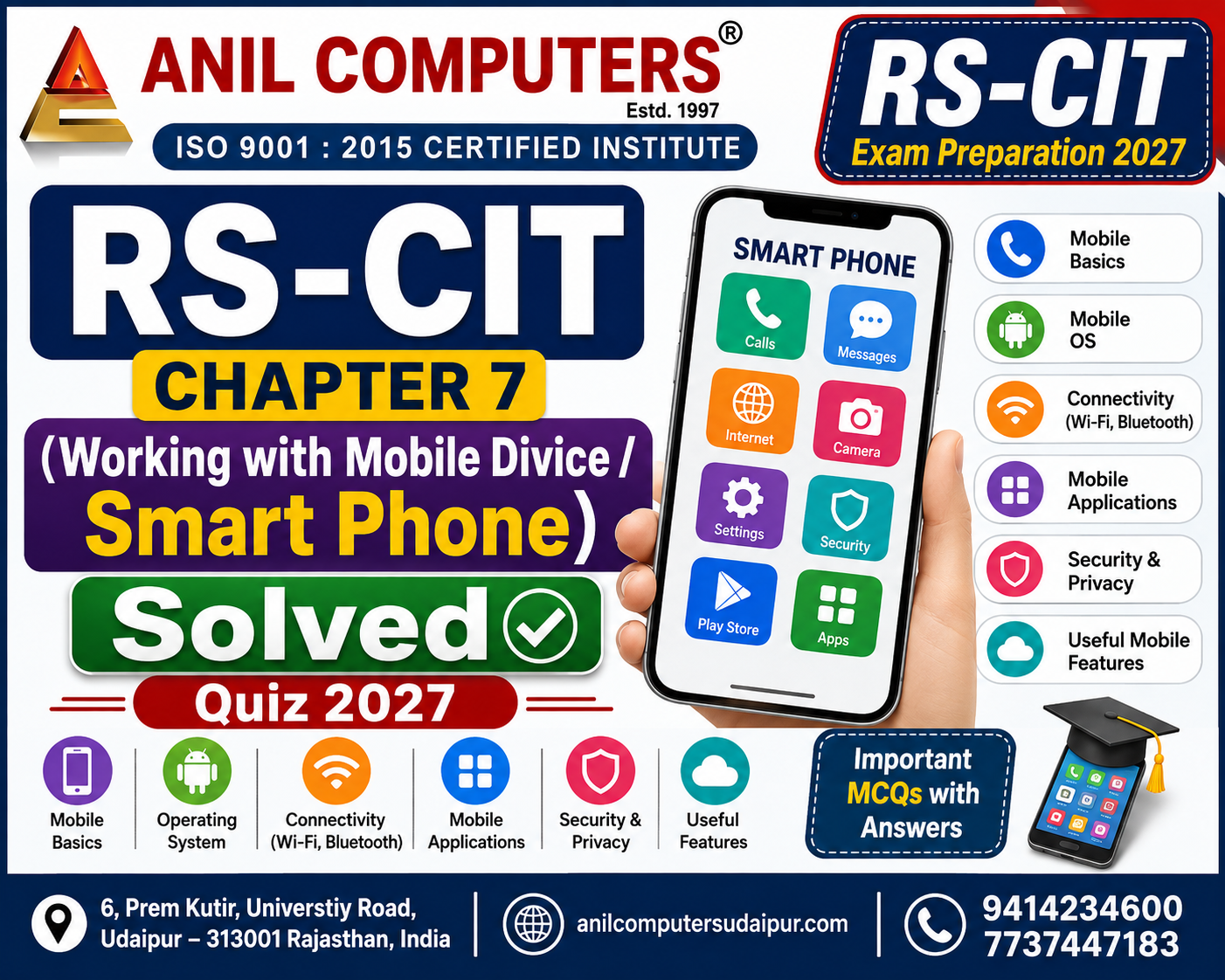
Chapter - 7
Working with Mobile Divice / Smart Phone
Types of Handheld Devices/हैंडहेल्ड डिवाइस के प्रकार
Smartphone/स्मार्टफोन
1. स्मार्टफोन क्या है? / What is a Smartphone?
a) केवल कॉल करने वाला उपकरण / Only a device for making calls
b) कंप्यूटर के कई कार्य करने में सक्षम मोबाइल डिवाइस / A mobile device capable of performing many computer functions
c) केवल कैमरा / Only a camera
d) केवल गेमिंग डिवाइस / Only a gaming device
2. स्मार्टफोन में सामान्यतः किस प्रकार का इंटरफेस होता है? / What type of interface does a smartphone generally have?
a) केवल Keyboard / Only Keyboard
b) Touchscreen / टचस्क्रीन
c) केवल Mouse / Only Mouse
d) केवल Joystick / Only Joystick
3. स्मार्टफोन में GPS का मुख्य उपयोग क्या है? / What is the main use of GPS in a smartphone?
a) फोटो एडिट करना / Editing photos
b) स्थान और नेविगेशन पता करना / Finding location and navigation
c) संगीत रिकॉर्ड करना / Recording music
d) ऐप अनइंस्टॉल करना / Uninstalling apps
4. निम्न में से स्मार्टफोन का उपयोग क्या है? / Which of the following is a use of a smartphone?
a) इंटरनेट ब्राउज़िंग / Internet browsing
b) ई-मेल / E-mail
c) वीडियो रिकॉर्डिंग / Video recording
d) उपरोक्त सभी / All of the above
Tablet/टैबलेट
5. टैबलेट को किस नाम से भी जाना जाता है? / What is a tablet also known as?
a) Tablet PC / टैबलेट पीसी
b) Desktop PC / डेस्कटॉप पीसी
c) Server PC / सर्वर पीसी
d) Mainframe PC / मेनफ्रेम पीसी
6. दिए गए अध्याय के अनुसार टैबलेट का डिस्प्ले सामान्यतः कितना बड़ा होता है? / According to the given chapter, how large is the display of a tablet generally?
a) 2 इंच / 2 inches
b) 4 इंच / 4 inches
c) 7 इंच या उससे बड़ा / 7 inches or larger
d) 20 इंच / 20 inches
7. टैबलेट का डिस्प्ले स्मार्टफोन की तुलना में कैसा होता है? / How is a tablet display compared to a smartphone?
a) छोटा / Smaller
b) बड़ा / Larger
c) समान / Same
d) डिस्प्ले नहीं होता / It does not have a display
8. निम्न में से क्या टैबलेट में उपलब्ध हो सकता है? / Which of the following may be available in a tablet?
a) Wi-Fi / वाई-फाई
b) SIM Card Slot / सिम कार्ड स्लॉट
c) Stylus Support / स्टाइलस सपोर्ट
d) उपरोक्त सभी / All of the above
Phablets/फैबलेट्स
9. फैबलेट (Phablet) किसका संयोजन है? / Phablet is a combination of which of the following?
a) Laptop और Desktop / Laptop and Desktop
b) Smartphone और Tablet / Smartphone and Tablet
c) Printer और Scanner / Printer and Scanner
d) Camera और Computer / Camera and Computer
10. अध्याय के अनुसार फैबलेट की स्क्रीन का आकार लगभग कितना बताया गया है? / According to the chapter, what is the approximate screen size of a phablet?
a) 1–2 इंच / 1–2 inches
b) 2–3 इंच / 2–3 inches
c) 4–7 इंच / 4–7 inches
d) 10–15 इंच / 10–15 inches
11. फैबलेट में बड़े डिस्प्ले का क्या लाभ है? / What is the benefit of a large display in phablets?
a) बेहतर वीडियो देखने का अनुभव / Better video viewing experience
b) बेहतर गेमिंग अनुभव / Better gaming experience
c) आसान वेब ब्राउज़िंग / Easier web browsing
d) उपरोक्त सभी / All of the above
12. फैबलेट में निम्न में से कौन-सी कनेक्टिविटी सुविधा हो सकती है? / Which of the following connectivity features may be available in phablets?
a) 4G/5G
b) Wi-Fi / वाई-फाई
c) Bluetooth / ब्लूटूथ
d) उपरोक्त सभी / All of the above
Mobile Operating System/मोबाइल ऑपरेटिंग सिस्टम
13. मोबाइल ऑपरेटिंग सिस्टम का मुख्य कार्य क्या है? / What is the main function of a Mobile Operating System?
a) केवल फोटो लेना / Only taking photos
b) मोबाइल डिवाइस पर एप्लिकेशन चलाने का प्लेटफॉर्म प्रदान करना / Providing a platform to run applications on a mobile device
c) केवल कॉल करना / Only making calls
d) केवल इंटरनेट बंद करना / Only turning off the internet
Android Operating System/एंड्रॉइड ऑपरेटिंग सिस्टम
14. Android ऑपरेटिंग सिस्टम का विकासकर्ता कौन है? / Who is the developer of the Android Operating System?
a) Microsoft / माइक्रोसॉफ्ट
b) Apple / एप्पल
c) Google / गूगल
d) IBM / आईबीएम
15. Android किस Kernel पर आधारित है? / Android is based on which Kernel?
a) Windows Kernel / विंडोज कर्नल
b) Linux Kernel / लिनक्स कर्नल
c) Unix Kernel / यूनिक्स कर्नल
d) DOS Kernel / डॉस कर्नल
16. Android का पहला संस्करण सितंबर 2008 में किस नाम से रिलीज हुआ था? / By what name was the first version of Android released in September 2008?
a) Donut / डोनट
b) Astro / एस्ट्रो
c) Gingerbread / जिंजरब्रेड
d) Nougat / नोगाट
17. Android की कौन-सी विशेषता प्रोग्रामर को इसे बदलने की सुविधा देती है? / Which feature of Android allows programmers to modify it?
a) Closed Source / क्लोज्ड सोर्स
b) Open Source / ओपन सोर्स
c) Single Tasking / सिंगल टास्किंग
d) Offline Mode / ऑफलाइन मोड
Apple iOS/एप्पल आईओएस
18. Apple iOS किस कंपनी द्वारा विकसित किया गया है? / Apple iOS is developed by which company?
a) Google / गूगल
b) Microsoft / माइक्रोसॉफ्ट
c) Apple Inc. / एप्पल इंक.
d) Samsung / सैमसंग
19. iOS मुख्य रूप से किन उपकरणों पर उपयोग किया जाता है? / iOS is mainly used on which devices?
a) केवल Android फोन / Only Android phones
b) Apple उत्पादों पर / On Apple products
c) केवल Windows PC पर / Only on Windows PCs
d) केवल Linux कंप्यूटर पर / Only on Linux computers
20. निम्न में से कौन-सा iOS का Apple App है? / Which of the following is an Apple App of iOS?
a) Safari / सफारी
b) Apple Mail / एप्पल मेल
c) Music Player / म्यूजिक प्लेयर
d) उपरोक्त सभी / All of the above
Google Play on Smartphones/स्मार्टफोन पर Google Play
21. Android फोन में Google Play Store का उपयोग किस लिए किया जाता है? / What is Google Play Store used for on an Android phone?
a) ऐप डाउनलोड और इंस्टॉल करने के लिए / To download and install apps
b) फोन बंद करने के लिए / To turn off the phone
c) स्क्रीन लॉक हटाने के लिए / To remove screen lock
d) SIM बदलने के लिए / To change SIM
22. Google Play Store को सेटअप करने के लिए सामान्यतः किस खाते की आवश्यकता बताई गई है? / Which account is generally required to set up Google Play Store?
a) Gmail Account / जीमेल अकाउंट
b) Facebook Account / फेसबुक अकाउंट
c) Twitter Account / ट्विटर अकाउंट
d) केवल SIM Account / Only SIM Account
23. Google Play Store से ऐप इंस्टॉल करने के लिए किस बटन पर टैप किया जाता है? / Which button is tapped to install an app from Google Play Store?
a) Delete / डिलीट
b) Install / इंस्टॉल
c) Exit / एग्जिट
d) Back / बैक
24. Android फोन में ऐप को हटाने के लिए किस विकल्प का उपयोग किया जाता है? / Which option is used to remove an app from an Android phone?
a) Install / इंस्टॉल
b) Update / अपडेट
c) Uninstall / अनइंस्टॉल
d) Download / डाउनलोड
25. ऐप की जानकारी और समीक्षा देखने के लिए क्या किया जा सकता है? / What can be done to view app information and reviews?
a) ऐप पर टैप करके Review Section देखना / Tap the app and view the Review Section
b) फोन बंद करना / Turn off the phone
c) Bluetooth बंद करना / Turn off Bluetooth
d) SIM निकालना / Remove SIM
Mobile Specifications and Configuration/मोबाइल स्पेसिफिकेशन और आवश्यक कॉन्फ़िगरेशन
26. मोबाइल की RAM और Storage की जानकारी कहाँ देखी जा सकती है? / Where can the RAM and Storage information of a mobile be viewed?
a) About Phone/System / अबाउट फोन/सिस्टम
b) Calculator / कैलकुलेटर
c) Camera / कैमरा
d) Gallery / गैलरी
27. मोबाइल का Software Update चेक करने के लिए किस विकल्प का उपयोग किया जाता है? / Which option is used to check Software Update on a mobile?
a) Software Update / सॉफ्टवेयर अपडेट
b) File Manager / फाइल मैनेजर
c) Gallery / गैलरी
d) Calculator / कैलकुलेटर
28. मोबाइल में Wi-Fi, Mobile Data और Bluetooth की सेटिंग कहाँ की जाती है? / Where are Wi-Fi, Mobile Data and Bluetooth settings configured on a mobile?
a) Network Settings / नेटवर्क सेटिंग्स
b) Gallery / गैलरी
c) Camera / कैमरा
d) Contacts / कॉन्टैक्ट्स
29. मोबाइल की सुरक्षा के लिए Screen Lock और Fingerprint किस भाग में सेट किए जा सकते हैं? / Where can Screen Lock and Fingerprint be set for mobile security?
a) Security / सिक्योरिटी
b) Display / डिस्प्ले
c) Storage / स्टोरेज
d) Sound / साउंड
30. मोबाइल का पूर्ण Reset करने के लिए किस विकल्प का उपयोग किया जाता है? / Which option is used to completely reset a mobile?
a) Factory Data Reset / फैक्टरी डेटा रीसेट
b) Screen Lock / स्क्रीन लॉक
c) Bluetooth / ब्लूटूथ
d) Wi-Fi / वाई-फाई
Sharing Files between Mobiles – SHAREit/मोबाइल के बीच फाइलें साझा करना – SHAREit
31. SHAREit का उपयोग मुख्य रूप से किस कार्य के लिए किया जाता है? / What is SHAREit mainly used for?
a) मोबाइल के बीच फाइल शेयर करने के लिए / To share files between mobiles
b) फोन चार्ज करने के लिए / To charge the phone
c) स्क्रीन लॉक करने के लिए / To lock the screen
d) कॉल करने के लिए / To make calls
32. SHAREit में फाइल भेजने के लिए कौन-सा विकल्प चुना जाता है? / Which option is selected to send files in SHAREit?
a) Receive / रिसीव
b) Send / सेंड
c) Delete / डिलीट
d) Exit / एग्जिट
33. SHAREit में फाइल प्राप्त करने वाले मोबाइल पर कौन-सा विकल्प चुना जाता है? / Which option is selected on the receiving mobile in SHAREit?
a) Send / सेंड
b) Receive / रिसीव
c) Install / इंस्टॉल
d) Upload / अपलोड
34. SHAREit में कनेक्शन स्थापित करने के लिए निम्न में से किसका उपयोग किया जा सकता है? / Which of the following can be used to establish a connection in SHAREit?
a) QR Code / क्यूआर कोड
b) Pair / पेयर
c) दोनों a और b / Both a and b
d) केवल USB / Only USB
Using Google Maps to Find the Path/रास्ता खोजने के लिए Google Maps का उपयोग करना
35. Google Maps का मुख्य उपयोग क्या है? / What is the main use of Google Maps?
a) रास्ता और दिशा खोजने के लिए / To find routes and directions
b) वीडियो एडिट करने के लिए / To edit videos
c) ऐप इंस्टॉल करने के लिए / To install apps
d) पासवर्ड बनाने के लिए / To create passwords
36. Google Maps में मार्ग देखने के लिए किस विकल्प पर टैप किया जाता है? / Which option is tapped to view the route in Google Maps?
a) Directions / डायरेक्शन्स
b) Delete / डिलीट
c) Install / इंस्टॉल
d) Settings / सेटिंग्स
37. Google Maps में निम्न में से कौन-सा यात्रा विकल्प उपलब्ध है? / Which of the following travel options is available in Google Maps?
a) Driving / ड्राइविंग
b) Walking / वॉकिंग
c) Cycling / साइक्लिंग
d) उपरोक्त सभी / All of the above
Wi-Fi, Bluetooth, GPS and Mobile Data/वाई-फाई, ब्लूटूथ, GPS और मोबाइल डेटा
38. Wi-Fi किस प्रकार की तकनीक है? / What type of technology is Wi-Fi?
a) Wired networking technology / वायर्ड नेटवर्किंग तकनीक
b) Wireless networking technology / वायरलेस नेटवर्किंग तकनीक
c) केवल Storage technology / Only Storage technology
d) केवल Printing technology / Only Printing technology
39. Wi-Fi डेटा के आदान-प्रदान के लिए किसका उपयोग करता है? / What does Wi-Fi use for exchanging data?
a) रेडियो तरंगों का / Radio waves
b) केवल USB का / Only USB
c) कागज का / Paper
d) CD का / CD
40. Bluetooth का मुख्य उपयोग क्या है? / What is the main use of Bluetooth?
a) Short-range wireless data transfer / शॉर्ट-रेंज वायरलेस डेटा ट्रांसफर
b) केवल इंटरनेट ब्राउज़िंग / Only internet browsing
c) केवल GPS / Only GPS
d) केवल स्क्रीन लॉक / Only screen lock
41. Bluetooth से निम्न में से कौन-सा उपकरण कनेक्ट किया जा सकता है? / Which of the following devices can be connected using Bluetooth?
a) Headphones / हेडफोन्स
b) Speaker / स्पीकर
c) Keyboard / कीबोर्ड
d) उपरोक्त सभी / All of the above
42. GPS का पूरा नाम क्या है? / What is the full form of GPS?
a) General Position Service
b) Global Positioning System
c) Global Phone System
d) General Phone Service
43. GPS किस प्रकार की प्रणाली है? / What type of system is GPS?
a) Satellite-based Navigation System / सैटेलाइट-आधारित नेविगेशन प्रणाली
b) File Management System / फाइल मैनेजमेंट सिस्टम
c) Operating System / ऑपरेटिंग सिस्टम
d) Messaging System / मैसेजिंग सिस्टम
44. Mobile Data मोबाइल डिवाइस को इंटरनेट से किसके माध्यम से जोड़ता है? / Through what does Mobile Data connect a mobile device to the internet?
a) Cellular Network / सेल्युलर नेटवर्क
b) Printer / प्रिंटर
c) Scanner / स्कैनर
d) Keyboard / कीबोर्ड
Screen Lock/स्क्रीन लॉक
45. निम्न में से कौन-सा Screen Lock का विकल्प है? / Which of the following is an option for Screen Lock?
a) Pattern / पैटर्न
b) PIN / पिन
c) Password / पासवर्ड
d) उपरोक्त सभी / All of the above
46. Screen Lock में PIN सामान्यतः किस प्रकार का होता है? / What type of PIN is generally used in Screen Lock?
a) संख्या आधारित / Number-based
b) केवल चित्र आधारित / Only picture-based
c) केवल आवाज आधारित / Only voice-based
d) केवल वीडियो आधारित / Only video-based
Mobile Hotspot/मोबाइल हॉटस्पॉट
47. Mobile Hotspot का उपयोग किस लिए किया जाता है? / What is Mobile Hotspot used for?
a) मोबाइल का वायरलेस नेटवर्क कनेक्शन दूसरे उपकरणों के साथ साझा करने के लिए / To share the mobile's wireless network connection with other devices
b) फोन की बैटरी निकालने के लिए / To remove the phone battery
c) स्क्रीन साफ करने के लिए / To clean the screen
d) ऐप हटाने के लिए / To remove an app
Useful Apps for Citizensनागरिकों के लिए उपयोगी ऐप
48. UMANG ऐप किस प्रकार की सेवाओं तक आसान पहुँच प्रदान करता है? / What type of services does the UMANG app provide easy access to?
a) सरकारी सेवाएँ / Government services
b) केवल गेम्स / Only games
c) केवल म्यूजिक / Only music
d) केवल वीडियो / Only videos
49. m-Aadhaar ऐप किस संस्था द्वारा विकसित किया गया है? / m-Aadhaar app is developed by which organization?
a) Google / गूगल
b) UIDAI / यूआईडीएआई
c) Microsoft / माइक्रोसॉफ्ट
d) Apple / एप्पल
50. DigiLocker का मुख्य उद्देश्य क्या है? / What is the main purpose of DigiLocker?
a) महत्वपूर्ण दस्तावेजों को डिजिटल रूप से सुरक्षित रखना और प्राप्त करना / To securely store and access important documents digitally
b) केवल गेम खेलना / Only playing games
c) केवल कॉल करना / Only making calls
d) केवल फोटो लेना / Only taking photos
Quick Revision Box
|
Topic / विषय |
Important Point / महत्वपूर्ण बिंदु |
|
Smartphone / स्मार्टफोन |
Computer के कई कार्य कर सकता है / Can perform many computer functions |
|
Tablet / टैबलेट |
सामान्यतः 7 इंच या उससे बड़ा / Generally 7 inches or larger |
|
Phablet / फैबलेट |
Smartphone + Tablet |
|
Android / एंड्रॉइड |
Developed by Google / Google द्वारा विकसित |
|
Android Kernel |
Linux Kernel |
|
Android First Version |
Astro |
|
iOS |
Developed by Apple Inc. / Apple Inc. द्वारा विकसित |
|
Google Play Store |
Apps Download & Install |
|
SHAREit |
File Sharing |
|
Google Maps |
Route & Navigation |
|
Wi-Fi |
Wireless Networking |
|
Bluetooth |
Short-range Wireless Data Transfer |
|
GPS |
Global Positioning System |
|
Mobile Data |
Cellular Network |
|
Screen Lock |
Pattern, PIN, Password आदि |
|
Mobile Hotspot |
Internet Connection Sharing |
|
UMANG |
Government Services |
|
m-Aadhaar |
Developed by UIDAI |
|
DigiLocker |
Digital Documents |
|
NDL |
Digital Educational Resources |
|
|
Instant Messaging |
|
File Manager |
File Management |
ज़रूरी सूचना:
ये प्रश्न-उत्तर केवल आपकी प्रैक्टिस के लिए हैं। इनमें कभी-कभी गलती हो सकती है। इसलिए परीक्षा से पहले अपनी किताब या ऑफिशियल सिलेबस से उत्तर जरूर मिला लें। इसके आधार पर कोई दावा मान्य नहीं होगा।
Go To Chapter-7 (Working with Mobile Divice / Smart Phone)
Thanks To Google
Thanks To ChatGPT
AI Content Writing & Research Tools
OpenAI ChatGPT – AI Content Writing & Ideas
Google Google Gemini – Smart Research Assistant
Design & Graphics Tools
Canva – Graphics & Design Creation
Adobe Adobe Firefly – AI Image & Design Generation
Remove.bg – Background Remover for Images
Video Creation & Editing Tools
Google Google Flow – AI Video Creation Tool
InVideo – AI Video Maker & Reels Creator
Pictory – Blog to Video Conversion
Synthesia – AI Avatar Video Creation
Runway ML – AI Video Editing & Effects
CapCut – Short Video Editing
Voice & Audio Tools
ElevenLabs – AI Voiceover Generator
Descript – Audio/Video Editing with AI
SEO & Marketing Tools
Ubersuggest – SEO & Keyword Research Tool
https://neilpatel.com/ubersuggest
Productivity & Document Tools
Microsoft Microsoft Copilot – Documents & Office Productivity AI
iLovePDF – PDF Edit, Convert & Merge Tool
Popular AI Platforms for Learning
Midjourney
DALL·E
Leonardo AI
✨ AI tools के साथ सीखें, तेज़ी से बढ़ें और अपने काम को प्रोफेशनल बनाएं।
— Team Anil Computers