 Anil Computers 18/368, PREM KUTIR, UNIVERSITY ROAD, UDAIPUR - 313001RAJASTHAN, INDIA
 [email protected]@[email protected]
 09414234600, 7737447183
 Anil Computers 18/368, PREM KUTIR, UNIVERSITY ROAD, UDAIPUR - 313001RAJASTHAN, INDIA[email protected]@[email protected]09414234600, 7737447183
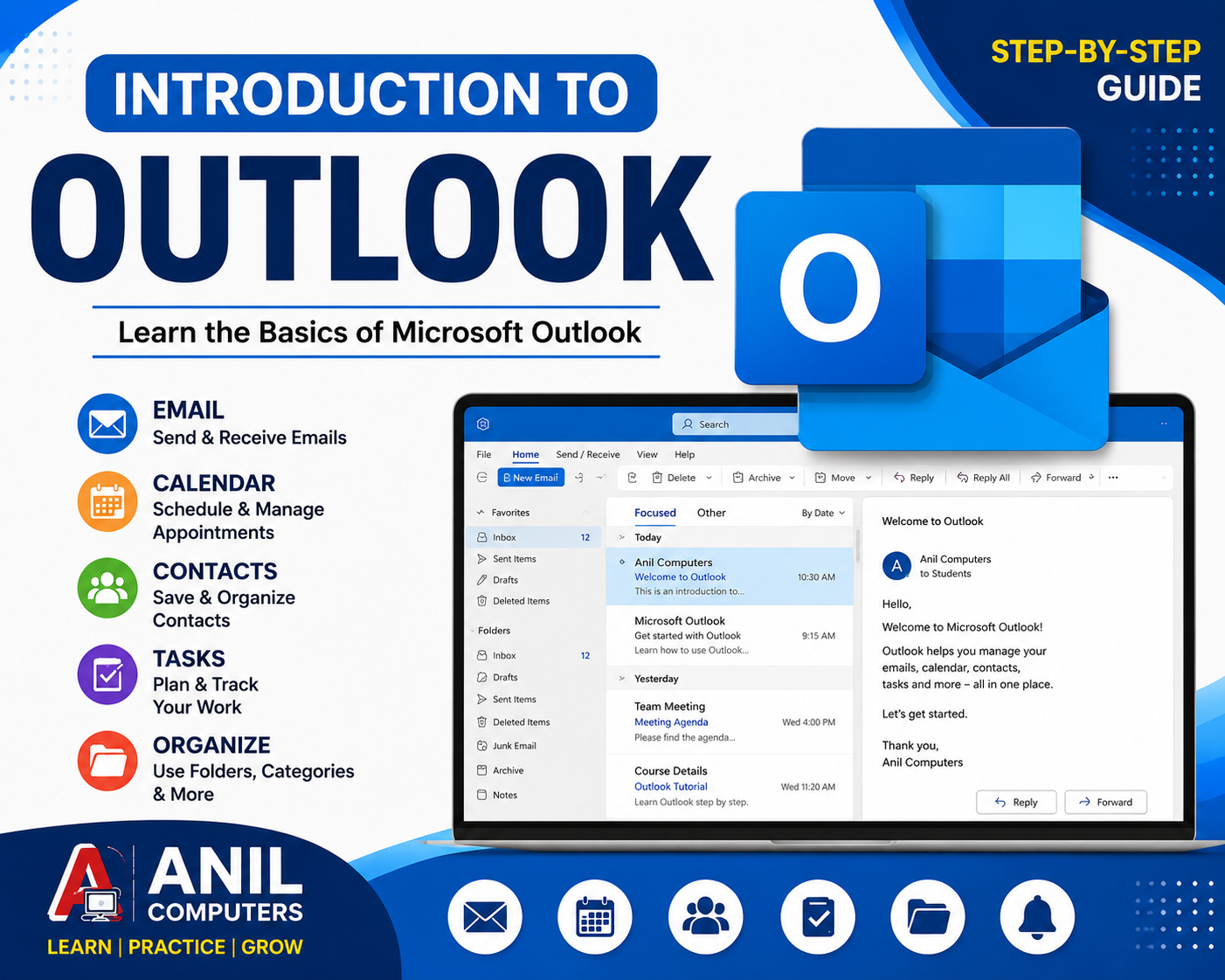
Introduction to Microsoft Outlook
Outlook एक ईमेल ऐप्लिकेशन है जिसे Microsoft ने बनाया है।
Microsoft Outlook एक लोकप्रिय email और personal information management application है, जिसका उपयोग email भेजने और प्राप्त करने के साथ-साथ Calendar, Contacts, Meetings, Tasks और अन्य activities को manage करने के लिए किया जाता है।
Outlook का उपयोग personal communication के साथ-साथ offices, schools, colleges और businesses में professional communication और time management के लिए भी किया जाता है।
What is Microsoft Outlook?
Microsoft Outlook Microsoft का एक application/service है, जो users को email communication और daily activities को एक ही जगह manage करने की सुविधा देता है।
Outlook की मदद से हम:
Outlook केवल Email भेजने का software नहीं है। यह Email, Calendar, Contacts, Meetings और Tasks को manage करने वाला एक useful application है।
Outlook का उपयोग क्यों किया जाता है?
आज के professional environment में communication और time management दोनों बहुत महत्वपूर्ण हैं। Outlook इन दोनों कामों को एक साथ manage करने में मदद करता है।
Outlook के प्रमुख उपयोग
1. Email Management
Email भेजना, प्राप्त करना, reply करना और forward करना।
2. Calendar Management
अपने daily, weekly और monthly schedule को manage करना।
3. Appointment
किसी निश्चित date और time पर अपने लिए activity schedule करना।
4. Meeting
दूसरे लोगों को invite करके meeting schedule करना।
5. Contact Management
लोगों के नाम, email address, phone number आदि को save करना।
6. Task Management
अपने important tasks को create और track करना।
7. Reminder
किसी appointment या meeting से पहले notification प्राप्त करना।
Microsoft Outlook क्या है?
Microsoft Outlook एक application है जिसका उपयोग Email भेजने और प्राप्त करने के साथ-साथ Calendar, Contacts, Tasks और Meetings को manage करने के लिए किया जाता है।
यह केवल email भेजने का software नहीं है। Outlook में हम Email + Calendar + Contacts + Tasks + Meetings को एक जगह manage कर सकते हैं।
Outlook का उपयोग क्यों किया जाता है?
Outlook का उपयोग:
“जब Gmail में mail आ रही है तो Outlook क्यों सीखें?”
अगर Gmail और Outlook में वही emails दिखाई दे रहे हैं, तो Outlook की जरूरत क्यों है?
इसका मुख्य कारण है कि Outlook केवल email देखने का software नहीं है। यह पूरा email + office productivity management tool है।
आसान उदाहरण
मान लीजिए आपका Gmail एक डाकघर है और Outlook आपका पूरा office desk है।
Gmail में आप मुख्य रूप से email का काम करते हैं, जबकि Outlook में email के साथ-साथ Calendar, Contacts, Tasks, Meetings, Rules, Folders, आदि को एक साथ manage कर सकते हैं।
सबसे बड़ा Difference
मान लीजिए किसी office में एक कर्मचारी को ये काम करने हैं:
सुबह 10 बजे: Customer का email आया
↓
10:30 बजे: उसका reply करना है
↓
12 बजे: Customer के साथ meeting है
↓
Meeting का reminder चाहिए
↓
Customer का contact save करना है
↓
एक follow-up task बनाना है
↓
कुछ emails automatically अलग folder में रखने हैं
यह पूरा workflow Outlook Classic में एक ही application के अंदर manage किया जा सकता है।
Outlook में Email के अलावा ये मुख्य चीजें हैं
Mail
Email भेजना, receive करना और organize करना।
Calendar
Appointment, Meeting और Reminder।
People/Contacts
Customers, Students, Staff आदि के contacts।
✅ Tasks
आज क्या काम करना है, किस तारीख तक करना है, reminder आदि।
Rules & Folders
Email को automatically organize करना।
⚡ Quick Steps
एक click में कई email actions करना।
यही Outlook का बड़ा फायदा है। Gmail में वही email दिखाई दे सकती है, लेकिन Outlook उस email को पूरे office workflow का हिस्सा बना देता है।
एक लाइन में समझें
Gmail = मुख्य रूप से Email Service
Outlook = Email + Calendar + Contacts + Tasks + Meetings + Office Management
इसीलिए एक ही Gmail account को Outlook में जोड़कर भी Outlook का उपयोग करना useful होता है।
Thanks To Google
Thanks To ChatGPT
AI Content Writing & Research Tools
OpenAI ChatGPT – AI Content Writing & Ideas
Google Google Gemini – Smart Research Assistant
Design & Graphics Tools
Canva – Graphics & Design Creation
Adobe Adobe Firefly – AI Image & Design Generation
Remove.bg – Background Remover for Images
Video Creation & Editing Tools
Google Google Flow – AI Video Creation Tool
InVideo – AI Video Maker & Reels Creator
Pictory – Blog to Video Conversion
Synthesia – AI Avatar Video Creation
Runway ML – AI Video Editing & Effects
CapCut – Short Video Editing
Voice & Audio Tools
ElevenLabs – AI Voiceover Generator
Descript – Audio/Video Editing with AI
SEO & Marketing Tools
Ubersuggest – SEO & Keyword Research Tool
https://neilpatel.com/ubersuggest
Productivity & Document Tools
Microsoft Microsoft Copilot – Documents & Office Productivity AI
iLovePDF – PDF Edit, Convert & Merge Tool
Popular AI Platforms for Learning
Midjourney
DALL·E
Leonardo AI
✨ AI tools के साथ सीखें, तेज़ी से बढ़ें और अपने काम को प्रोफेशनल बनाएं।
— Team Anil Computers